

Profile
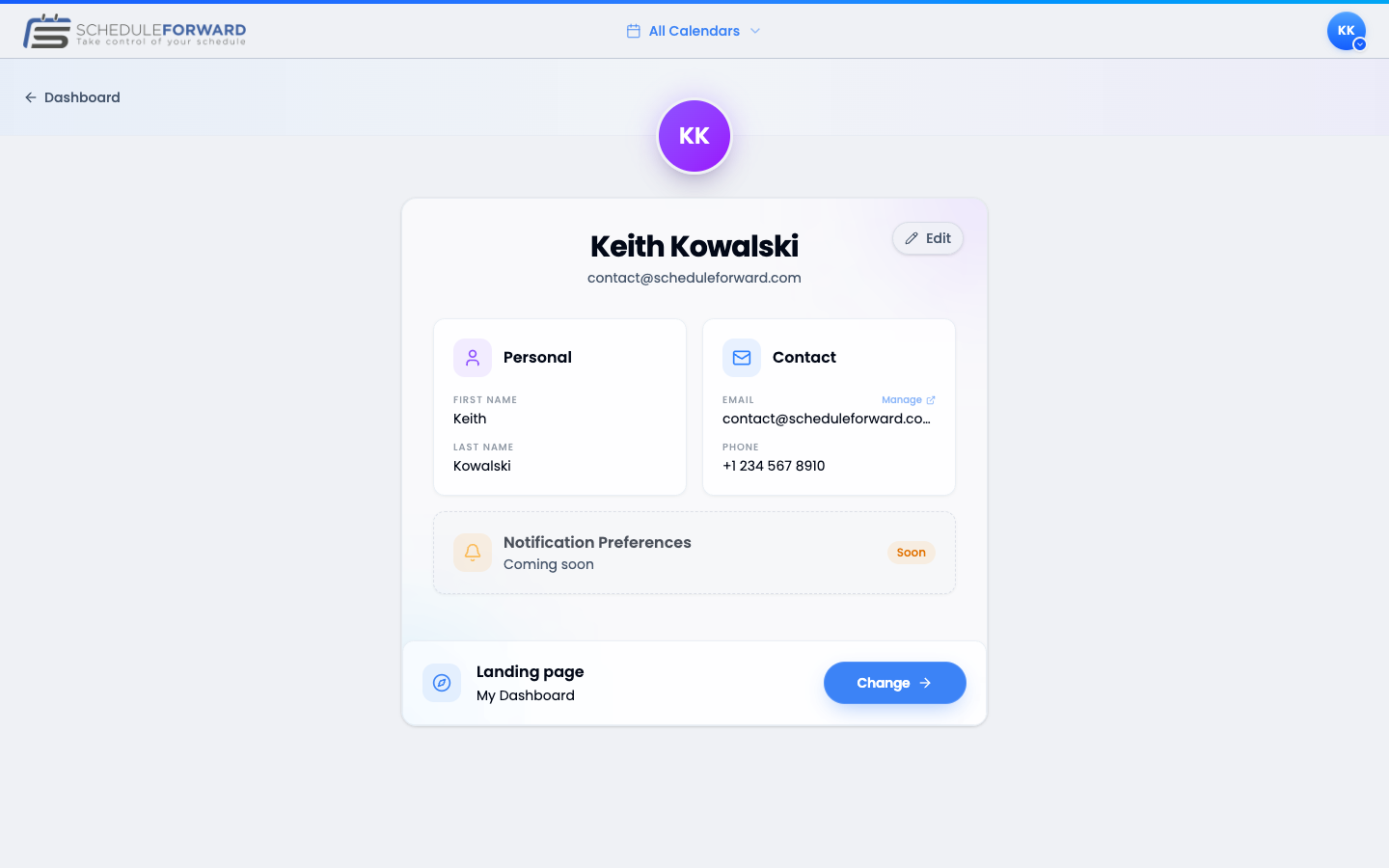
Your profile is the home of all the personal info ScheduleForward uses — your name, phone number, notification preferences, and the page you want to land on after sign-in.
The basics
Your name
Your first and last name show up everywhere — drafts, trade requests, the schedule. Use what you’d like coworkers to call you.
Edit anywhere
Click the pencil icon next to any field to edit. Changes save when you hit save — no surprise commits.
Phone & notifications
Add a phone number
Use the country selector and type your number. We’ll only text you for time-sensitive things (draft turn, trades, time-off responses).
Channel preferences are coming soon
Per-category channel toggles (email, text, both, or none) are on the roadmap and will appear in your Profile when they ship. Until then, ScheduleForward uses a sensible default: email always goes to your primary address, and texts only fire for the time-sensitive things — your turn in a draft, an incoming trade request, a time-off response — and only if you’ve added a phone number.
Picking your landing page
Choose a destination
Pick the page you want to land on after sign-in. Common choices: the Dashboard (everything at a glance), My Calendar (visual schedule), or a specific Sub-Group calendar.
Change it whenever
Your landing page is just a personal preference — change it as often as you like. If the page you picked goes away (say a sub-group you left), you’ll get a friendly bounce to the dashboard with a quick note.
Common questions
Why do I need to add a phone number?
So we can text you when you’re on the clock in a draft, when a teammate sends you a trade, or when something time-sensitive is happening. You can skip it, but you’ll miss the fastest notifications.
Can I have multiple email addresses?
Yes! See the Email Addresses guide. Your profile email is the one we use as a default for notifications.
What does the “landing page” setting do?
It’s the page ScheduleForward sends you to right after sign-in. By default it’s your Dashboard, but you can pick a specific calendar instead if that’s more useful for you.