

My Schedule
My Schedule is the all-in-one management view for your trades and personal events. Two tabs, easy to scan, with the filters and controls you need to keep everything in order.
Two tabs, one home
Trades
A focused look at every trade you’ve sent or received — what’s pending, accepted, declined, or expired. Quick actions live right inline.
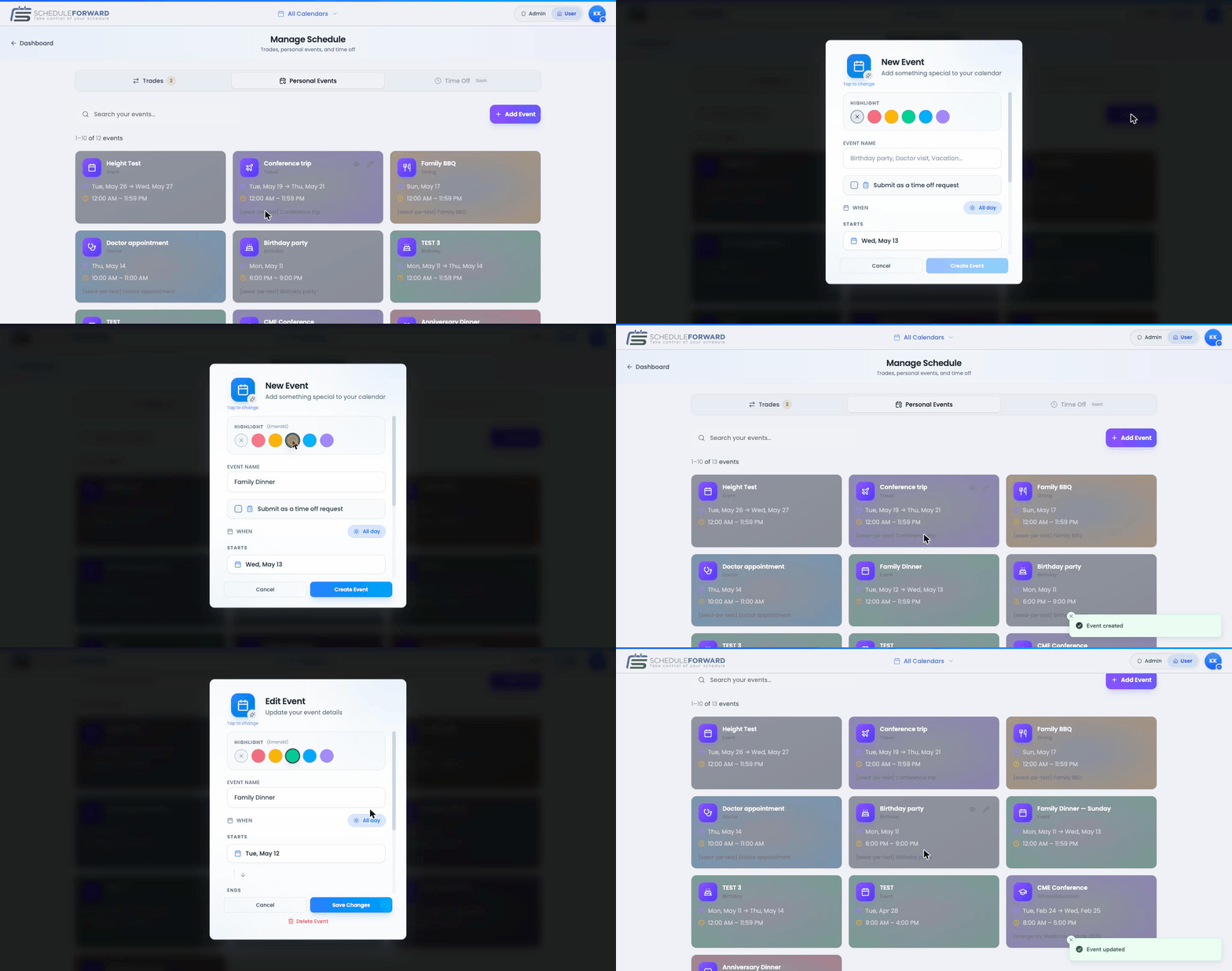
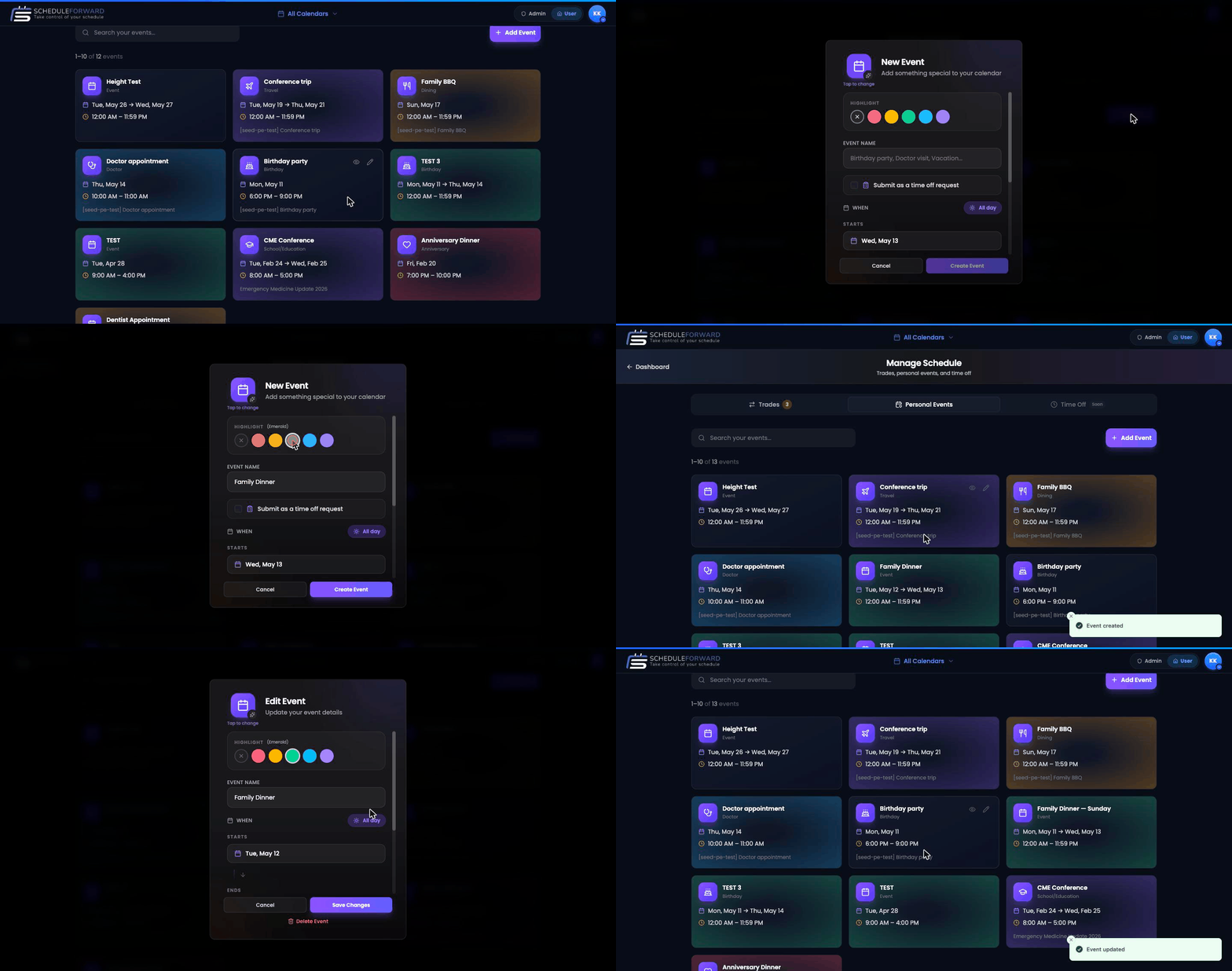
Personal Events
Every personal event you’ve added, in a tidy table. Edit, delete, or duplicate with a single tap.
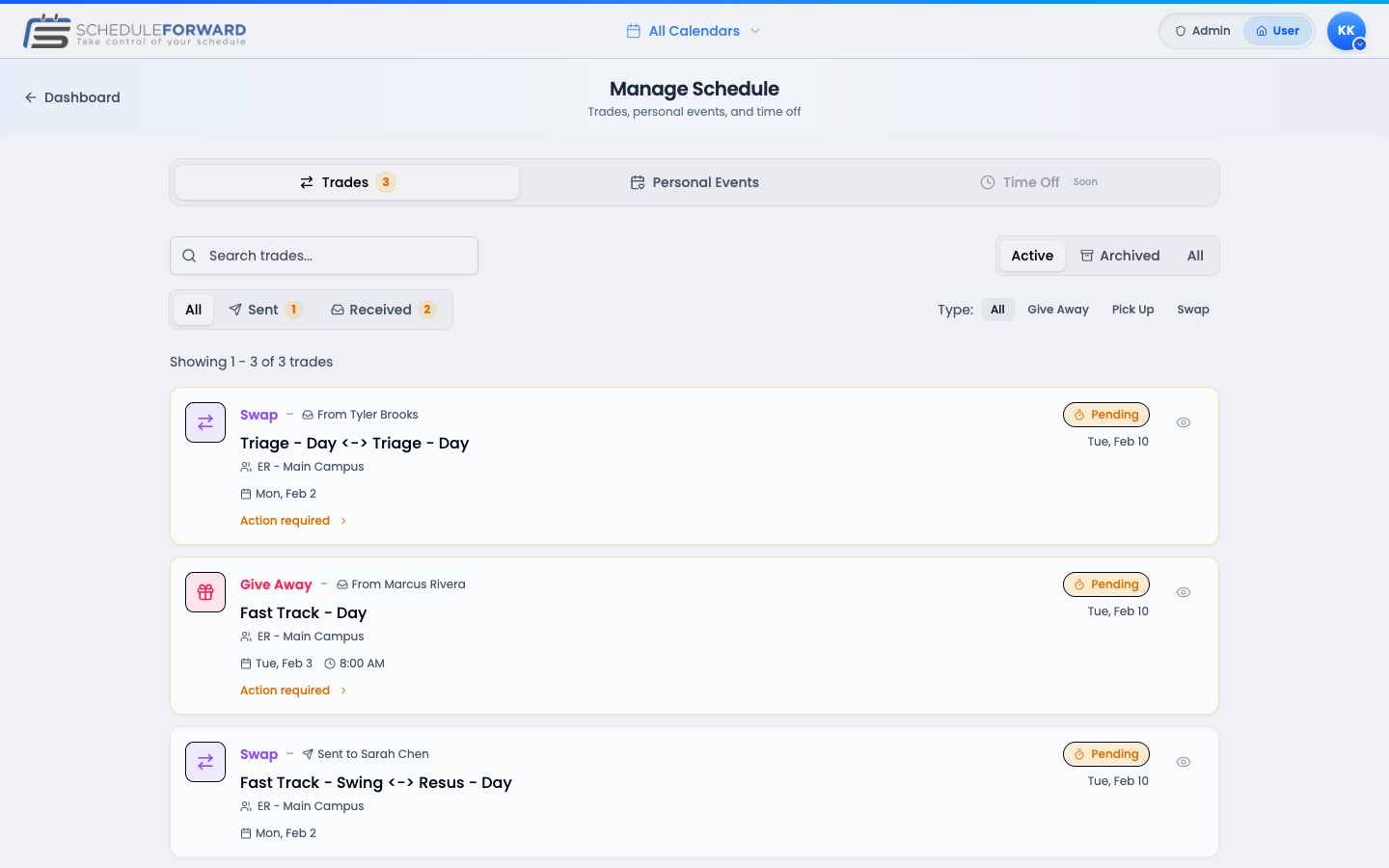
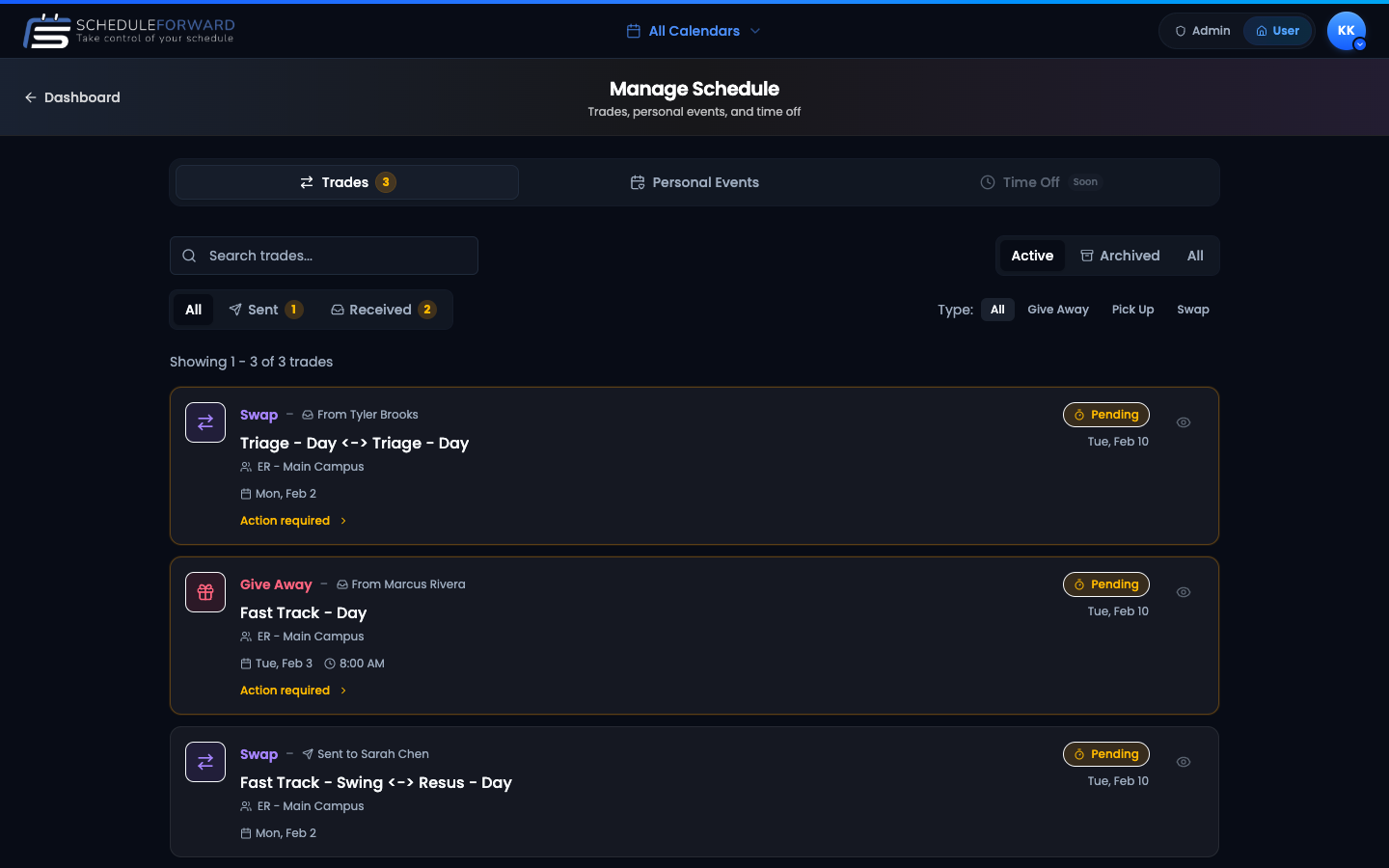
The Trades tab
Same trades you’d see on the Trades page, but in a fast-scanning table. Tap a row to open details. The pending count badge in the tab name nudges you when something needs your attention.
The Personal Events tab
Create a new event
Hit New event, fill in the name, dates, icon, and color, then save. It shows up on your calendar.
Edit any event
Tap an event to open it, change anything, save.
Delete what you don’t need
Tap the trash icon. You’ll get a quick confirm to keep accidents from happening.
Common questions
How is this different from My Calendar?
My Calendar is the visual monthly view. My Schedule is the management view — tables, filters, the place where you create and edit personal events and dig into your trades.
Can I see past events here?
Yes, the Personal Events tab keeps everything (past and future). Use the filters to scope down to a date range.
I deleted an event by accident. Can I get it back?
There’s no undo right now — but you can quickly recreate it. We’re working on a recycle-bin pattern for personal events.