

Admin Basics
The admin panel is where you set up schedules and manage your team. This guide is the lay of the land — the home screen, how your organization is organized, and how to find your way around.
The home screen
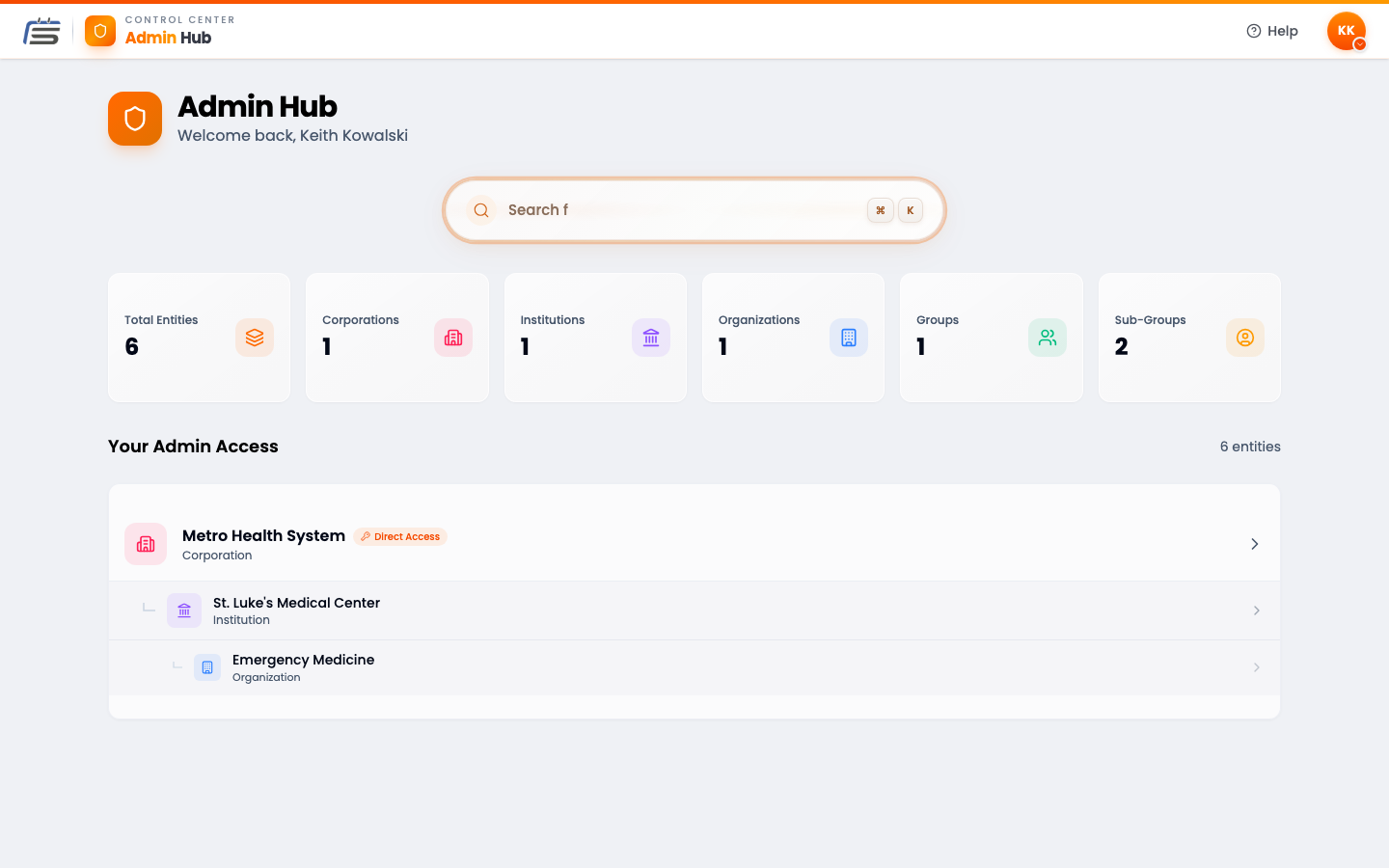
When you open the admin panel, you land on the Admin Hub. Think of it like the front desk of a building. It shows your whole organization at a glance, and it’s the door into every part of it.
Your organization, laid out as a tree
The numbers that matter
Click to go straight there
The five levels
ScheduleForward keeps everyone organized in five levels — like folders inside folders. From biggest to smallest:
- Corporation — the whole company, at the very top.
- Institution — a big division inside the company.
- Organization — a major division. Think hospital level.
- Group — a container that holds one or more teams. Think “department.”
- Sub-Group — the actual team whose schedule you build (think “Physicians,” or “APPs” if they’re scheduled separately). This is the one you’ll spend the most time in.
Getting around
There are three easy ways to move between teams and pages.
Follow the trail at the top
Use the sidebar inside a team
Jump anywhere with a shortcut
Where the real work happens
Almost everything you do day to day happens inside a Sub-Group. Open one, and you can:
- Build and publish schedules in the Schedule Builder.
- Add people and set what they’re allowed to do in Members.
- Set up your locations, tags, and templates in Configuration.
- See the whole team’s shifts on the Calendar, and approve time off.
Admin Basics FAQ
What’s the difference between a Group and a Sub-Group?
A Group is a container that can hold several Sub-Groups. The Sub-Group is the actual team whose schedule you build. If Emergency Medicine is the Group, the Physicians and the APPs might be two Sub-Groups inside it.
Do I have to create all five levels?
No. Smaller teams often use just a Group and a Sub-Group. The extra levels (Corporation, Institution, Organization) are there for big organizations that need them. Use only what you need.
I can only see some teams. Why?
You see the parts of the organization you’re an admin for. If someone gave you admin access to one Sub-Group, that’s what shows up. To see more, ask whoever set up your account to widen your access.
Where do I actually build a schedule?
Inside a Sub-Group, in the Schedule Builder. Open a Sub-Group, then look for “Schedule Builder” in the sidebar. The Build a Schedule guides walk you through it.